
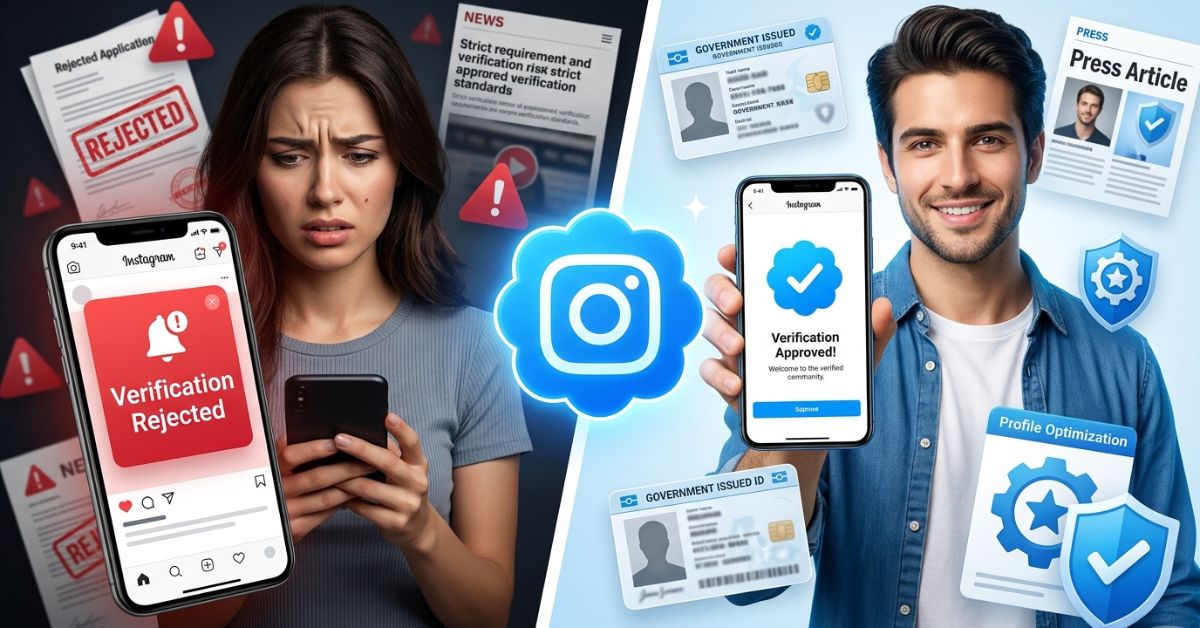
Instagram verification is the blue checkmark that shows an account is the real, official presence of a person, brand, or organization. It proves authenticity and notability, but it is not an endorsement and does not guarantee more reach. In this guide, you will learn the exact Instagram verification requirements for 2026. Learning these rules is the first step to show your account is real on the platform. This guide covers every rule you need to know for 2026. Following these rules helps you see what Instagram looks for, which papers you need, and how to avoid common rejection reasons.
What Is Instagram Verification?
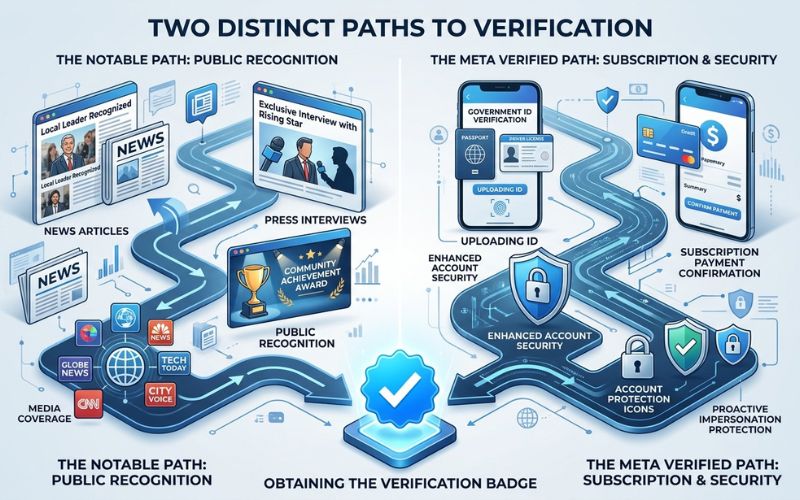
Instagram verification gives your account a blue checkmark. This mark shows you are the real, official presence of a person, brand, or organization. It shows authenticity and notability. It is not an endorsement. It does not guarantee more reach. There are currently two paths to earn this status:
- Free notable verification: For public figures and major brands.
- Paid Meta Verified subscription: A monthly service for individuals and some business accounts.
Instagram verification does not mean Instagram endorses you. It also does not guarantee more followers or more reach. Its main job is to help people know they are following the real you, not a fake account. How it helps users: The blue check makes it easier to find the right account in search and comments. It also helps reduce confusion when similar names exist. Verification does not change your algorithmic reach by itself.
Why Instagram Verification Requirements Matter
Understanding these rules helps you avoid wasted applications and 30-day waits. Preparing the right papers and news links lowers your risk of rejection. By choosing the right path for your account, you protect your account status. Applying without meeting these core criteria can hurt your chances of future approval.
The Two Ways to Get Verified on Instagram
You can seek verification through a free process or a paid subscription. Each path has a different purpose.
Free vs Paid: Eligibility, Cost, and Benefits
| Feature | Free Notable Verification | Meta Verified (Paid) |
| Eligibility | Highly notable, public interest | Individuals/some businesses |
| Cost | Free | Monthly subscription fee |
| Primary Goal | Show real identity for public figures | Add security and extra features |
| Requirement | Independent press coverage | Government-issued ID |
Core Instagram Verification Requirements (All Accounts)
Instagram has basic rules for every account. Your account must meet these rules to be considered for verification:
- Authentic: It must be a real person, a real business, or a real group.
- Unique: Only one account per person or brand. Language accounts can be an exception.
- Complete: Your profile must be public. It needs a bio, a clear photo, and recent posts.
- Compliance: You must follow Instagram’s rules, like the Terms and the Community Guidelines.
- Identity proof: You must share a valid government ID or official business papers.
Instagram checks these basics before anything else. If your account is private, has no bio, or uses a fake name, your request will likely be rejected. Make sure your profile looks complete and professional before you apply. For instance, a real person uses their real name and photo. A real business uses its legal name and logo. A fitness coach uses their real name and a clear headshot. A local shop uses its registered business name and logo. Keep your profile public during review. Private accounts are often rejected. Use a real profile photo and a bio that clearly states who you are or what your brand does.
Free Notable Verification: Additional Requirements
The traditional blue badge is for accounts with high public interest. This path needs proof that people know you.
What Counts as Notable in 2026?
To be notable, you must be a well-known person, celebrity, or brand that people search for. Instagram needs proof that many independent news sites have written about you. News from big sites, local sites, and niche sites can all help. The best coverage includes profiles, interviews, or mentions in known industry publications. Do not use press releases, sponsored posts, or personal blogs. These do not have strong editorial review.
Meta Verified (Paid): Requirements and Eligibility
If you do not meet the strict notability rules, the paid subscription is your main option. This path helps you secure your account without needing big media attention.
Who Can Subscribe to Meta Verified?
This service is for people in supported regions who are at least 18 years old. You must have a profile photo that clearly shows your face. You must turn on two-factor authentication. You will need to upload a government ID that matches your profile name. Price and plans change by location. They also change by device (web, iPhone, or Android). This is a recurring monthly subscription, not a one-time purchase. Subscribers get a verified badge, impersonation protection, priority support, and sometimes new creator tools.
Documents Instagram Accepts for Verification
Giving the right papers helps your request pass. Ensure all files are clear and unexpired. For individuals, Instagram accepts a passport, national ID card, or driver’s license. The name on your ID must match your account name or the name you are commonly known by. For businesses and organizations, provide tax filings, incorporation papers, utility bills, or other official government business papers. All documents must be clear, unexpired, and legible. Make sure the photo of your ID is bright, in focus, and shows all four corners. Example: Take a photo of your ID on a plain background. Avoid glare and blurry edges.
How Instagram Evaluates Notability for Free Verification
Instagram looks at signs to see if you are notable. It checks news about you. It checks how many people search your name or brand. It also looks at your impact and how you talk with your community. You should get 3 to 5 articles from recognized, independent outlets. Focus on news you did not pay for, not paid ads. Make sure articles spell your name or brand correctly. This helps the review team find them. Tip: Use your real name or brand name consistently across Google, news, and social profiles. Consistent naming helps Instagram confirm your identity and notability faster.
Step-by-Step: How to Apply When You Meet the Requirements
Go to your profile. Open the menu. Go to Settings. Tap Account Type and Tools. Tap Request Verification. Enter your full name, the name you are known as, your category, and your country. Upload your ID. Paste links to your news coverage. To subscribe to Meta Verified, go to your profile. Open the menu. Tap Settings. Select Meta Verified. Follow the on-screen prompts. Confirm your identity. Complete the payment. The review process can take up to 30 days. Some requests are faster, but you should expect to wait. After approval, keep your profile active and follow all rules. If you change your username, you may need to re-verify. Protect your account with two-factor authentication to avoid losing access.
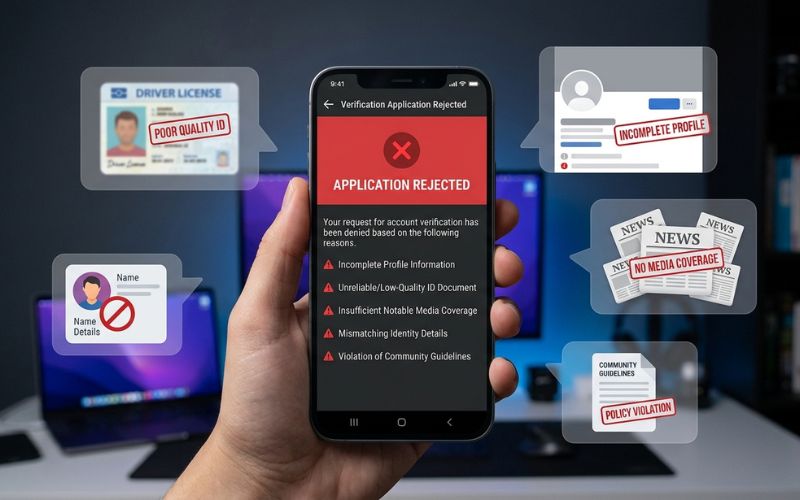
Common Reasons Instagram Verification Requests Get Rejected
- Insufficient or low-quality press coverage: If Instagram cannot find enough news about you, they will say you are not notable enough.
- A private or incomplete profile: Your account must be public. It must show who you are.
- An account that does not clearly show a real person or brand: Accounts about general topics like “motivation” or “funny videos” usually do not qualify.
- Poor-quality document scans or mismatched ID names: Your ID name should match your Instagram name or the name people know you by.
- Recent history of policy violations: Breaking Instagram’s rules can lower your chances of approval.
- Attempts to verify generic topics instead of a specific person or brand: Instagram verifies people and brands, not broad topics.
How to Improve Your Chances Before Applying
Profile Optimization Checklist
- Upload a high-quality profile photo showing your face or a clear logo.
- Write a complete bio that includes contact information.
- Maintain a consistent username across all your social media platforms.
- Post regularly on Instagram so your profile looks active.
- Use the same name and photo on Instagram, YouTube, and TikTok.
- Add your Instagram link to your website and email signature.
These small steps show Instagram you are serious and real. Build a strong online name before you apply. Remove posts that break rules. This helps your account look clean and trustworthy.
The Final Verdict on Instagram Verification Requirements
Instagram verification requires your account to be authentic, unique, complete, and either notable or subscribed to the paid program. Free verification depends on independent press. Paid verification depends on ID, age, and an active subscription. Wait until your profile and papers are ready. One strong request is better than many fast ones. If you meet these Instagram verification requirements, your chance of approval is much higher.
FAQs About Instagram Verification Requirements
Is Instagram verification free?
Only the “notable” badge for public figures is free. The Meta Verified badge requires a monthly subscription fee.
What are the basic Instagram verification requirements?
Every account must be authentic, unique, complete, and follow all community guidelines. You must also provide a government ID.
How many news articles do I need for free verification?
You should aim for 3 to 5 independent, high-quality articles from known news outlets.
Can I get verified with Meta Verified if I’m not famous?
Yes, Meta Verified is for people who meet the age and ID rules but are not widely known.
How long does Instagram take to review verification requests?
The review process can take up to 30 days. Some requests are faster, but you should expect to wait.
What happens if my verification request is rejected?
You will get an in-app notice. You can re-apply after the wait time shown in the app.
Do I need a minimum number of followers to get verified?
No, there is no official minimum follower count for either verification path.
Will changing my username affect my verified status?
Yes, changing your username or your account category can make you lose your verified status.
You May Also Like:
How to Grow Instagram Followers Organically (Proven Guide)
Best Instagram Hashtag Strategy for 2026
Disclaimer
This article is for educational purposes only and does not provide legal or professional advice. Instagram’s policies may change at any time; always check official platform resources. Some images used are AI-generated for illustration. All trademarks and copyrights belong to their respective owners.

Eleanor Karen is an administrator at PVStory.co.uk who writes about digital tools, social media trends, and online resources. She shares helpful insights on Instagram Story Viewer tools and other web-based solutions, helping readers stay informed and make the most of their online experience.