
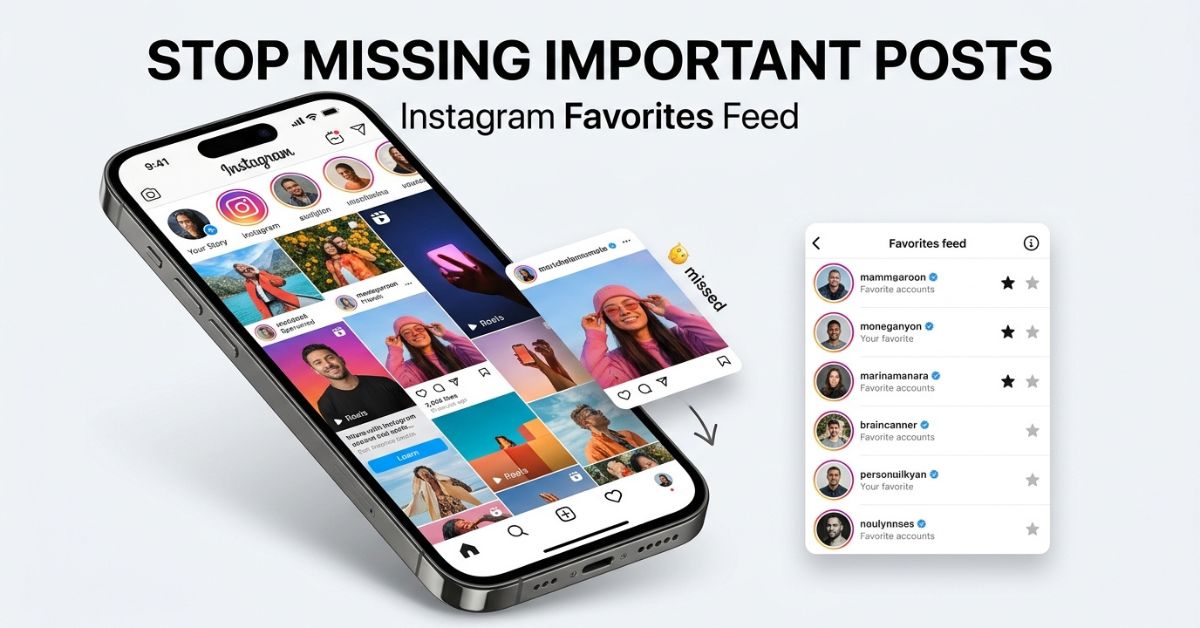
Ever feel like you are missing important posts on Instagram? Your main feed can get crowded fast.
The instagram favorites feed helps you solve this problem. It is an optional feature that lets you prioritize posts from the accounts you care about most, without changing who you follow.
At a Glance
- What it does: Filters your feed to show posts from a chosen list of up to 50 accounts.
- Privacy: Your Favorites list is private. Instagram does not send notifications when you add or remove someone.
- Main feed effect: Posts from your Favorites list also appear higher in your main Home feed.
- How to access: Tap the Instagram logo in the top-left corner of your app.
What Is the Instagram Favorites Feed?
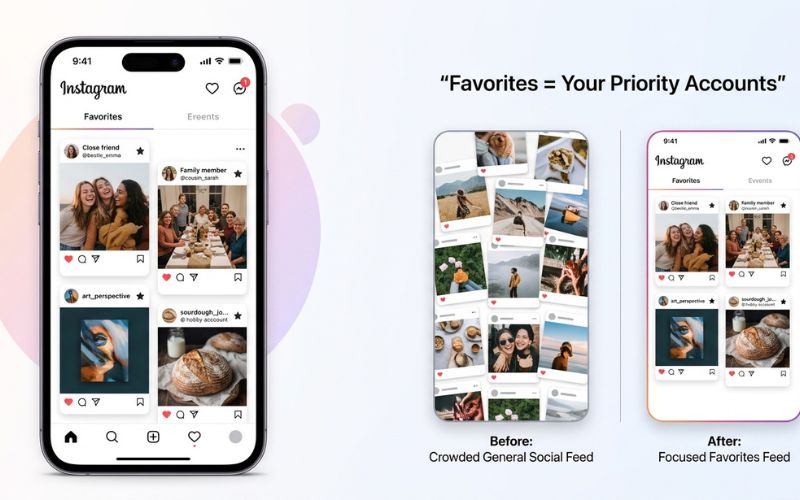
The Instagram Favorites feed is a custom, private view that shows posts only from accounts you select. It filters out updates from accounts you follow less closely.
This feature gives you a quick way to catch up on important updates from family, close friends, or top creators. It changes what you see on your screen, but it does not change how your profile looks to other people.
How Does the Instagram Favorites Feed Work?
When you open your Favorites feed, Instagram cleans up your view. It shows content posted by the accounts on your list.
What appears in the Favorites feed?
Your Favorites feed includes posts from your selected accounts. It excludes accounts you have not added to your list.
Is the Favorites feed chronological?
Yes. The Favorites feed shows posts in reverse chronological order. This means the newest post appears at the top, and older posts appear as you scroll down. Instagram does not use its main ranking algorithm to reorder content in this view.
How to Access the Instagram Favorites Feed
Opening your Favorites feed takes just a few taps inside the app.
- Open the Instagram app on your phone.
- Make sure you are on the Home tab by tapping the house icon at the bottom.
- Tap the Instagram logo in the top-left corner of your screen.
- Select Favorites from the drop-down menu.
Note: Instagram changes its interface layout often. If you do not see the logo menu, make sure your app is updated to the latest version.
How to Add Accounts to Instagram Favorites
You can add accounts to your list using two simple methods.
Add an account from your Favorites settings
- Tap the Instagram logo in the top-left corner and select Favorites.
- Open your management list.
- Type a username into the search bar.
- Add them to your profile list.
Add an account while viewing their profile
- Open the profile page of the person or creator you want to add.
- Tap the options on their profile page.
- Select the option to add them to your Favorites list.
How many accounts can you add to Favorites?
You can add up to 50 accounts to your Instagram Favorites list.
This 50-account limit helps keep your custom feed small and easy to read. If you reach the limit, you must remove an existing account before you can add a new one.
How to Manage or Remove Instagram Favorites
You can update your list at any time from your Favorites management screen.
To remove an account, open your Favorites list, find the account, and remove them.
Removing an account from your Favorites list does not unfollow, block, or restrict them. It does not delete your past interactions or messages with them. It simply stops giving their new posts top priority in your feeds.
Can People See Your Instagram Favorites?
No, your Instagram Favorites list is private. Other users cannot see who is on your list, and Instagram does not send a notification when you add or remove someone.
Only you can view your list of favorite accounts. This makes the feature entirely risk-free to use, as no one will ever know if they were added or removed.
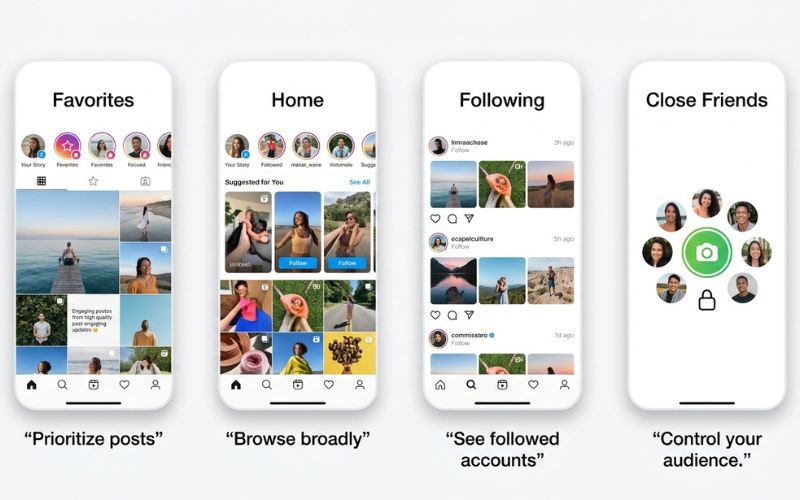
Instagram Favorites vs. Home, Following, and Close Friends
Instagram offers several feed views and list tools. They serve different purposes, and it is easy to mix them up.
| Feature | Main Purpose | Is Selection Private? | Feed Effect | Best For |
| Favorites | Prioritize up to 50 top accounts | Yes | Shows a custom, chronological feed | Never missing posts from key accounts |
| Following | View all accounts you follow | N/A (Shows all followed accounts) | Shows posts from everyone you follow | Chronological scrolling without suggested posts |
| Home | Main default Instagram feed | No | Mixes posts, ads, and suggested content | General browsing and discovering new content |
| Close Friends | Limit who sees your private updates | Yes | Controls story and post audience | Sharing private updates with trusted people |
The biggest point of confusion is between Favorites and Close Friends. Favorites controls whose posts you see in your feed. Close Friends controls who can see your private Stories or posts.
Does Instagram Favorites Affect Your Home Feed?
Yes, adding accounts to your Favorites list changes how your regular Home feed behaves.
When an account is on your Favorites list, Instagram gives its new posts higher placement in your main Home feed. You will also see a small star icon next to their username on those posts. This icon confirms that the post comes from an account on your list.
However, Favorites does not guarantee that a post will always appear at the very top of your Home feed. Instagram still uses its general algorithm for your main feed, but your favorited accounts receive an overall visibility boost.
What Can You Use Instagram Favorites For?
The Favorites feature works best when you keep your list small and selective.
Here are practical ways to use your 50 spots:
- Family and close friends: Ensure you see important life updates from people you know in real life.
- Top creators: Follow video makers, podcasters, or educators whose updates you watch daily.
- Local businesses: Track sales, hours, or announcements from local shops and restaurants.
- Niche hobbies: Focus on a tight group of accounts sharing recipes, news, or specialized tips.
How Creators Can Encourage Followers to Add Them to Favorites
If you run a business or creator account, getting added to a follower’s Favorites list helps keep your content visible. Creators cannot see who adds them, so you must rely on strong audience habits.
- Publish recurring series: Create regular weekly or daily posts that followers look forward to reading.
- Provide clear value: Share useful tips, timely news, or exclusive announcements that give people a clear reason not to miss your posts.
- Remind followers simply: Briefly explain in a video or caption how adding your account to Favorites ensures they will not miss future updates.
Instagram Favorites Feed Not Showing? Try These Fixes
If you cannot find the Favorites option in your app, work through these diagnostic steps:
- Update the app: Open the Apple App Store or Google Play Store and check for an Instagram update.
- Re-check the logo menu: Tap directly on the Instagram text logo in the top-left corner of the Home screen.
- Restart your phone: Close the app completely and restart your device to clear temporary software bugs.
- Log out and back in: Log out of your Instagram account in Settings, then sign back in.
- Report a problem: If the menu is still missing, search for the help or support section in the app settings to report an issue.
Final Takeaway
The Instagram Favorites feed gives you simple, private control over your social media experience. By selecting up to 50 key accounts, you ensure that important posts stay easy to find in both your main feed and a dedicated chronological view.
Since your list is private, you can adjust your picks whenever your habits change without worrying about notifications. Try opening your app menu today to build a list that fits your daily routine!
Frequently Asked Questions
What is the Instagram Favorites feed?
The Instagram Favorites feed is a private feed view that shows recent posts exclusively from a custom list of up to 50 accounts you choose.
How do I view my Favorites feed on Instagram?
Tap the Instagram logo in the top-left corner of your Home screen and select Favorites from the menu.
Does Instagram notify someone when you add or remove them from Favorites?
No. Instagram never sends notifications or alerts when you add or remove an account from your Favorites list.
How many accounts can I add to Instagram Favorites?
You can add a maximum of 50 accounts to your Favorites list at one time.
Does Favorites work with Reels?
Content published by your favorited accounts appears in your Favorites feed.
Can I create separate categories or folders in Favorites?
No. Instagram currently offers only one single Favorites list per account and does not support custom categories.
Why can’t I find Favorites on Instagram?
The feature may be hidden if your app is outdated or if the app is experiencing a temporary bug.
You May Also Like:
PressVibePulse com: What It Is, Is It Legit, and What It Offers
How to Translate Instagram Comments and Captions
Disclaimer:
This article is for informational and educational purposes only. Instagram features, settings, and limits may change over time, so check Instagram’s official resources for the latest details. Some images may be AI-generated for illustrative purposes. All copyrights, trademarks, and brand names belong to their respective owners.

Eleanor Karen is an administrator at PVStory.co.uk who writes about digital tools, social media trends, and online resources. She shares helpful insights on Instagram Story Viewer tools and other web-based solutions, helping readers stay informed and make the most of their online experience.