
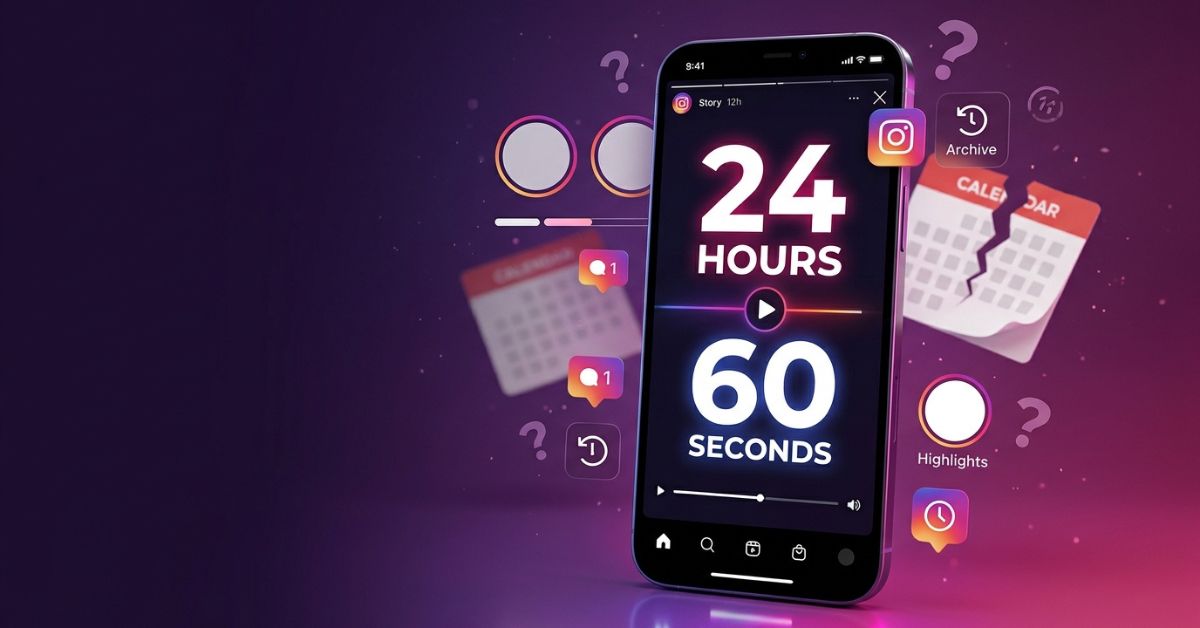
Ever wondered why your post disappeared after a day, or why a long video got cut off? Instagram Stories can be confusing because “how long a Story lasts” means two different things: how long a video plays and how long the post stays on your profile.
Here is a quick breakdown of how instagram story duration and lifespan work today.
Quick Answer: Instagram Story Length & Lifespan
- Story Lifespan: A regular Instagram Story usually stays visible on your profile for 24 hours.
- Video Length: Rules show you can record or upload a single video clip up to 60 seconds long.
- Permanent Stories: You can save Stories to your profile past the 24-hour mark using Highlights.
| Story Feature | Current Time Limit | What Happens Next? |
| Video Story | Up to 60 seconds per clip | Plays the next picture or video in line |
| Active Lifespan | Usually visible to the public for 24 hours | May move automatically to your private Archive if turned on |
| Story Highlight | Saved until you remove it | Stays visible on your profile past 24 hours |
| Story Ads | Changes based on ad style and campaign setup | Depends on your Meta Ads Manager campaign |
Instagram Story Length vs Story Lifespan (Know the Difference)
People often mix up “length” and “lifespan.” Clearing up this confusion helps you plan better posts.
Story length (or duration) means how long a video or photo plays on screen before stopping.
Story lifespan means the total time a posted Story stays visible to your followers. Once you post, the clock counts down from 24 hours. A 60-second video still disappears 24 hours after you post it unless you save it to a Highlight.
| Word | Meaning |
| Story duration | How long a single Story video or photo stays on screen. |
| Story lifespan | The 24-hour window that a Story usually stays visible on your profile. |
| Highlight | A saved collection of Stories on your profile that stays visible past 24 hours. |
| Story sequence | Multiple Story posts shared one after another to tell a longer story. |
How Long Can an Instagram Story Be?
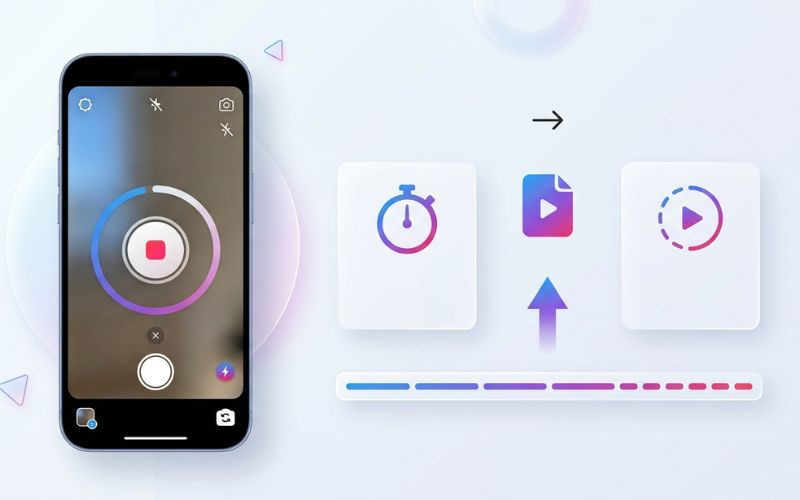
Current guidelines show that a regular Instagram Story video can play for up to 60 seconds per clip.
Current reports show that this limit works whether you record inside the Story camera or upload a video from your phone’s photo library, though phone apps can sometimes work a bit differently.
[ Open Story Camera ] ──► [ Record or Upload Video ] ──► [ Published Story Post ]
Is Instagram Still Limited to 15 Seconds?
No, Instagram no longer limits regular Stories to 15 seconds in normal use. Years ago, Instagram used a 15-second limit for basic Story video uploads.
Instagram later allowed longer 60-second videos so clips play smoothly without stopping.
How Long Does an Instagram Story Stay Visible?
Instagram says Stories disappear from your profile, main feed, and messages after 24 hours. When that time ends, the post vanishes from public view.
Here is where your posts go after 24 hours, according to Instagram:
- Story Archive: Expired Stories may be saved to your private Story Archive if you have the archive setting turned on. The Archive is private to you, and you can reshare archived posts anytime.
- Close Friends Stories: These follow the same 24-hour rule, but only people on your private Close Friends list can see them.
- Deleted Stories: If you delete a Story, it goes to your “Recently Deleted” folder for a short time before it is fully removed.
How Highlights Keep Stories Visible
If you want a Story to stay visible past 24 hours, add it to a Highlight. Highlights are saved folders usually shown right below the bio on your profile page. They stay visible past 24 hours until you remove them.
How Long Does an Instagram Photo Story Stay on Screen?
A still photo Story automatically moves to the next post after showing briefly on screen.
Viewers can control how long they look at a photo using simple touch controls:
- Hold Screen: Press and hold a finger on the screen to pause the timer.
- Tap Right: Tap the right side of the screen to skip to the next post.
- Tap Left: Tap the left side to go back to the previous post.
You can also turn a photo into a short video file to control how long it stays on screen, though it will then follow video Story rules.
What Happens If Your Video Is Longer Than 60 Seconds?
If you pick a video longer than 60 seconds from your phone, Instagram may cut it into multiple smaller clips, trim the end off, or fail to upload it depending on your app version.
Here is what can happen during long video uploads:
[ Pick Long Video ] ──► [ Processing ] ──► [ Cut into Clips or Trimmed Video ] ──► [ Published Posts ]
- Cutting or Trimming: A long video might get cut into consecutive 60-second parts or get chopped off at the 60-second mark.
- Upload Problems: Large files or slow internet connections can sometimes cause upload errors.
Instagram Story Length by Content Type (Best Tips)
Technical rules allow up to 60 seconds per clip, but shorter posts are often easier for people to watch. Consider these helpful length suggestions:
| Type of Post | Suggested Length | Why It Helps |
| Quick News | Short message | Gives key facts fast before people swipe away. |
| Product Demo | Short to Medium | Shows features clearly without losing attention. |
| Step-by-Step Guide | Multiple Short Clips | Breaks big ideas into small, easy-to-understand parts. |
| Behind the Scenes | Short to Medium | Gives a fun, casual look into your day. |
| Sale Alert | Short message | Focuses on a clear message and a fast call to action. |
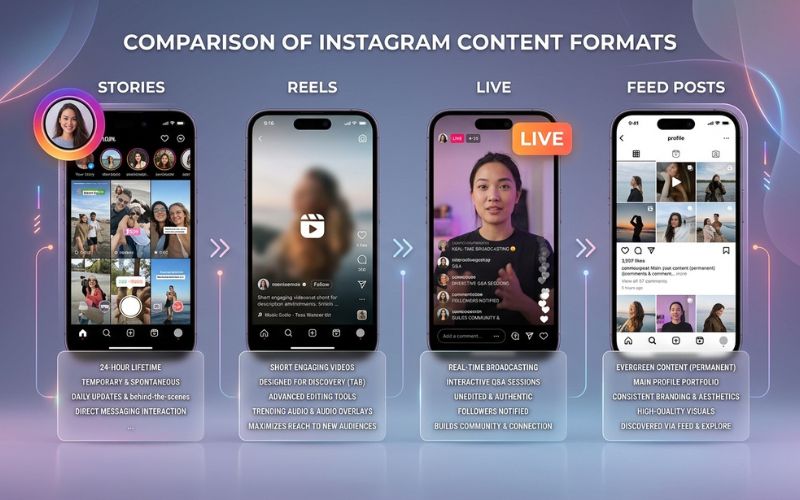
Format Choice: Stories vs Reels vs Live vs Feed
Choosing the right Instagram feature helps you reach the right people.
| Feature | Regular Stories | Instagram Reels | Instagram Live | Feed Posts |
| Max Length | Up to 60 seconds per clip | Up to 3 minutes usually | Check Help Center for current rules | Changes by video type |
| Lifespan | Usually 24 hours | Stays on profile forever | Temporary (unless saved) | Stays on profile forever |
| Main Viewers | Focused on current followers | Shown to new people who don’t follow you yet | Sends a alert to active followers | Profile visitors and followers |
| Best For | Daily updates & quick chats | Getting discovered by new people | Real-time events & Q&As | Main photos and videos for your profile |
Simple Guide: Which One Should You Use?
- Use Stories when you want to talk directly to your current followers, run quick polls, or post daily updates.
- Use Reels when you want to reach new people who do not follow you yet.
- Use Live when you want to talk with your audience in real time and get instant replies.
- Use Feed Posts when you want good photos or videos to stay on your main profile grid forever.
How Music, Stickers, Words, and Links Affect Your Story
Adding fun features does not change your main video file, but it changes how your posts behave.
- Music Sticker: Adding music to a photo Story lets you choose how long the music plays. Music options depend on your area, your account type, and song copyright rules.
- Captions & Text: Adding written words helps people who watch without sound. Extra text does not change video speed, but lots of text takes longer to read. Keep your text clean and easy to read.
- Interactive Stickers: Poll, Question, and Link stickers stay active while the Story clip plays.
How to Upload Longer Stories Without Problems
To keep full control over your clips when sharing long videos, you can cut your files yourself before uploading.
Step 1: Cut Your Video Yourself
You can use free video editing apps like CapCut or InShot to cut long videos into clean 60-second clips. Cutting your video during natural pauses in your speech keeps it from sounding awkward.
Step 2: Use Good Export Settings
When saving your video from an editor, using common settings like an MP4 or MOV video file in a tall vertical size (1080 × 1920 pixels) helps keep your video clear.
Keep Text in the Safe Zone
Keep text, logos, and link stickers away from the very top and very bottom edges of the screen so Instagram buttons do not cover your words.
How to Check Your Story Numbers with Instagram Insights
If you have a professional account, you can use Instagram Insights or Meta Business Suite to see how people interact with your Stories.
You can check these basic numbers to see how viewers react:
- Reach vs Impressions: Reach counts the number of separate accounts that saw your post. Impressions count total views.
- Forward Taps: How many times people tapped to skip to your next post. This can mean viewers want to move faster.
- Backward Taps: How many times people tapped to re-watch a previous post. This can mean content was very interesting, confusing, or moved too fast.
- Exits: How many people closed the Story viewer on that specific post.
Post 1: 1,000 Views ────► Post 2: 950 Views ────► Post 3: 450 Views (Viewers Leaving)
Regular Stories vs Story Ads Comparison
If you run paid ads, Story ad rules can be different from regular Stories.
| Feature | Regular Story | Paid Story Ad |
| Video Limits | Up to 60 seconds per clip | Depends on the ad format and setup |
| Lifespan | Usually 24 hours | Depends on how long your ad campaign runs |
| Buttons | Link stickers, DMs, Polls | Clickable buttons (like “Shop Now”) |
| Audience | Your profile followers | Chosen target audience |
Common Story Problems & Easy Fixes
If you run into trouble when sharing Stories, try these simple fixes:
| Problem | Simple Cause | Easy Fix |
| Video gets cut off early | File is too long or upload glitched. | Cut or trim clips in a video editing app before uploading. |
| Music ends early | Music timer is set too short. | Adjust the music length bar or pick a different song. |
| Upload fails repeatedly | Weak internet or file processing error. | Make the video file size smaller and try again on good Wi-Fi. |
| Blurry or cropped video | Video shape does not fit the tall screen. | Save your video in a tall 9:16 vertical shape before uploading. |
| Sound disappears | Phone is muted or audio is blocked by copyright. | Check your phone sound settings and make sure your audio is safe to use. |
Best Tips to Keep Viewers Watching
Use these simple tips to keep people watching your Stories:
1. Start with a Strong Opening
- Boring Start: Starting a video by saying “Hey guys, so today I wanted to talk about…”
- Strong Start: Showing a clear picture with bold text right in the first few seconds.
2. Focus on One Idea Per Post
Keep each post focused on one topic. If you change topics, start a new post.
3. Put Important Links Early
Put your link stickers or important questions on your first few posts so viewers see them even if they do not watch every single clip.
Frequently Asked Questions
How long can an Instagram Story video be?
Reports show a regular Instagram Story video can play for up to 60 seconds per clip.
Can Instagram Stories be 60 seconds?
Yes, Instagram supports up to 60 seconds for a single regular Story clip.
How long do Instagram Stories stay visible?
Stories usually stay visible on your profile for 24 hours before disappearing from public view.
Does Instagram split long Story videos?
Instagram may cut longer uploads into multiple clips, but this can change depending on your app version and phone.
Do Story ads have the same length as regular Stories?
Paid Story ad video limits depend on the specific ad format, placement, and campaign settings.
Can I save Stories forever?
You can save active or archived Stories to profile Highlights to keep them on your profile past 24 hours.
Why was my Story cut short?
Your video may have been trimmed due to file limits, or an upload error happened.
What is the best Story length to keep viewers?
Testing different video lengths and checking your Insights numbers will help you find the best timing for your followers.
You May Also Like:
OnlyWorkMoods com Explained (2026): What It Is, Is It Legit, Safe, and Worth Using?
Instagram Story Green Screen Effect: Complete Guide
Disclaimer:
This article is for informational and educational purposes only. Instagram features may change over time, so always check official sources for the latest updates. Some images used in this article may be AI-generated for illustration only. All trademarks, logos, and copyrights belong to their respective owners.

Eleanor Karen is an administrator at PVStory.co.uk who writes about digital tools, social media trends, and online resources. She shares helpful insights on Instagram Story Viewer tools and other web-based solutions, helping readers stay informed and make the most of their online experience.