
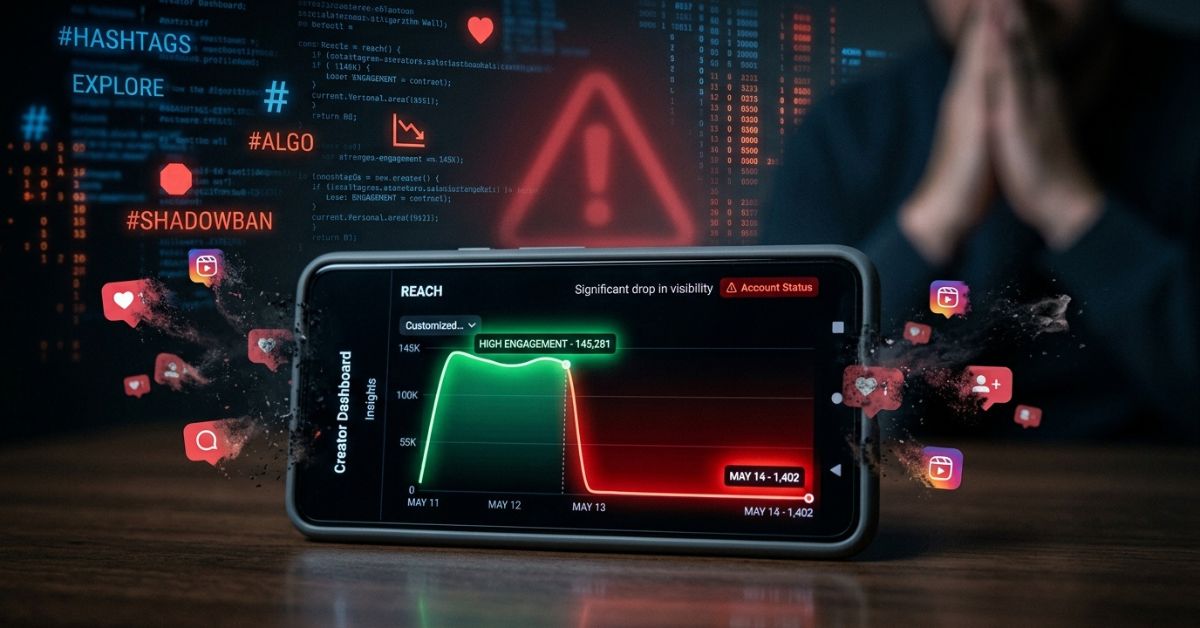
An Instagram shadowban is an unannounced drop in your account’s reach and discovery, especially for people who do not follow you. Instagram does not use this exact word, but it does limit visibility when it sees spam or policy problems. This guide shows how to tell if you are restricted and how to fix it step by step.
What Is an Instagram Shadowban?
An Instagram shadowban is an unofficial term for when the algorithm quietly reduces your account’s visibility without notifying you. Your posts may stop showing up in hashtag feeds, Explore, and recommendations for people who don’t already follow you, causing a sudden drop in reach and engagement.
This is not a manual ban. Your account still works for your followers. The main problem is that new people cannot find your content easily. You can think of it as your account being moved to the back of the line for new viewers. This makes it hard to grow a new audience.
Is the Instagram Shadowban Real?
Instagram does not use the word “shadowban.” Instead, it says some content is “not eligible to be recommended” if it breaks rules.
- In 2018, Instagram said it does not hide posts just because users report them. It tries to show less low-quality content in feeds.
- Later, Instagram added the Account Status tool. Creators can now see if their posts are restricted from recommendations.
- Official ranking guidelines say content must meet strict standards to appear on Explore or Reels for non-followers.
Many creators still call this a shadowban. They see a sharp, sudden stop in growth. Posts that used to perform well in hashtags or Explore suddenly stop appearing there. They see their numbers drop even if they keep posting the same type of content.
How Instagram’s Algorithm Limits Your Reach
Instagram shows your posts to your followers based on their past interest. Your visibility to non-followers depends on whether the system sees your content as safe and high quality for Explore and Reels.
- If your content is borderline, it stays on your profile.
- But it is removed from public discovery feeds.
- Your followers can still see it, but you will not gain new reach from public pages.
The system wants to keep the platform safe for everyone. If it detects something it does not like, it hides the post from the public. This happens instantly and without a warning message sent to your inbox. You have to check your status to know for sure.
Common Causes of Instagram Shadowbans
- Violating guidelines: Content that is sexual, violent, hateful, or full of misinformation can be restricted. For example, posting videos of fights or mean comments will trigger a limit. Posts about regulated products like tobacco or vaping can also cause problems.
- Bad hashtags: Using banned or spammy hashtags can flag your account. Some hashtags are blocked because people used them for spam. Repeating the same block of hashtags on every post also looks like spam to the system. For example, avoid tags that are full of spam comments or adult content. If a hashtag page looks messy or unsafe, do not use it on your post.
- Bot-like activity: Services for mass following, mass liking, or engagement pods are detected quickly. Apps that ask for your password to auto-engage break the rules. If you follow 100 people in one hour, the system will think you are a robot.
- Reports and security issues: A surge in user reports can lead to temporary limits. If your account is hacked and used to send spam links, Instagram will restrict your traffic to protect others. You might not know your account was used until you check your status.
Signs You Might Be Shadowbanned
- Sudden drop in reach: You see far fewer impressions from Explore and hashtags. Engagement from followers stays similar, but total reach shrinks. For example, your last five posts may get half the normal views from people who do not follow you.
- Posts missing from hashtags: When you search your own hashtag from a non-follower account, your post does not appear in Recent or Top. Your post does not appear in the feed.
- Profile hard to find: In an incognito browser or from another account, your username does not show up in search results.
- Account Status warnings: You see flags that your content is “not eligible to be recommended.”
How to Check If You’re Shadowbanned (Step-by-Step Tests)
You can use these simple tests to see if your account is restricted.
Check Instagram Account Status
- Go to your Profile.
- Tap the Menu (three lines) in the top right.
- Tap Settings.
- Select Account Status. Green checks mean your account is in good standing. Yellow or red flags show why your content is restricted. This tool shows if your account is being hidden.
Run a Unique Hashtag Test
- Post a photo with one unique, low-competition hashtag.
- Use a separate device that does not follow you to search that hashtag.
- If your post is missing from the results, you are likely not being indexed. Try this with a tag that only has 100 posts so it is easy to find.
Analyze Insights for Non-Follower Reach
- Open your Insights and go to the “Accounts Reached” tab.
- Compare the percentage of impressions from “Non-followers” in the last week versus the previous month.
- A big drop here is a strong sign of a shadowban. You can also search your username while logged out or in a private browser window. If your account does not appear in the search bar, your profile is hidden from discovery.
How to Fix an Instagram Shadowban in 2026
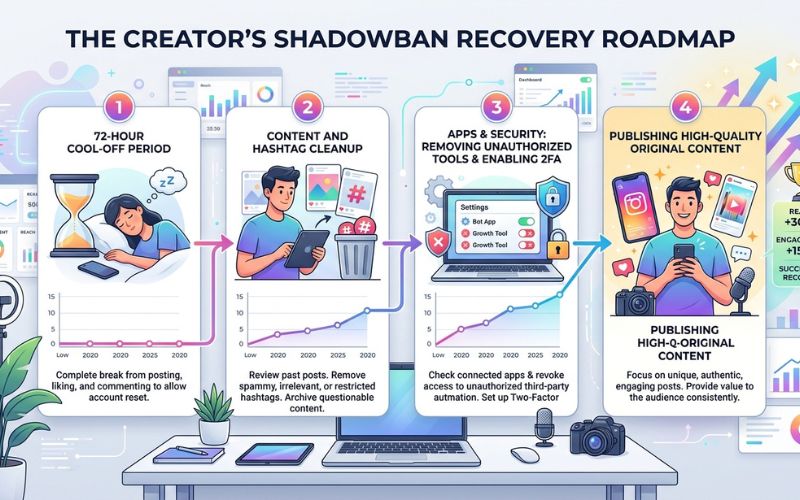
Follow these steps in order:
- Take a 48–72 hour cool-off. Stop all activity. Do not post, comment, like, or follow anyone for three full days. This allows the system to reset your automated trust score. This helps the system stop seeing bot behavior.
- Audit and clean your content and hashtags. Review your last 60 days of posts. Delete or archive posts that are close to breaking rules. Remove all hashtags from recent posts and create a new, smaller set of niche-specific tags for future use. Do not copy and paste the same list of tags every single time.
- Revoke unauthorized apps and secure your account. Go to Settings → Apps and Websites. Remove every third-party tool you have connected. Change your password and enable Two-Factor Authentication (2FA) right away. This shows a human controls the account.
- Report the problem and restart with high-quality content. If your status says you are eligible but you still see no reach, use the “Report a Problem” link in Account Status. Then return by posting high-value, original content only. Focus on Reels that encourage saves and shares. Post things like short tutorials, behind-the-scenes clips, or clear tips. For example, show a quick “before and after” design, a three-step how-to, or a common mistake and how to fix it.
How Long Does an Instagram Shadowban Last?
Restrictions usually last from a few days up to two weeks once you stop the behavior that caused them. If you keep using banned hashtags or automation, the ban will continue. Fixing the root cause is the best way to make it end sooner. If you do all the fix steps and still see no change after two weeks, check your Account Status again and report the problem to Instagram.
How to Avoid Future Shadowbans
- Use only official tools approved by Meta for scheduling and analytics.
- Rotate your hashtags. Do not use the same list twice. Match tags to each post.
- Follow Instagram’s recommendation guidelines. Check them every month.
- Do not buy followers, join engagement pods, or use follow-for-follow schemes.
- Check your Account Status tool on a regular basis. Fix flags early.
- Keep your email and phone number verified. Use 2FA at all times.

The Final Verdict on Instagram Shadowban
- A shadowban is an algorithmic restriction that limits your content’s reach to new audiences.
- It is caused by policy violations, spammy hashtags, bot-like behavior, or weak account security.
- To fix it, take a 48–72 hour break, audit your posts, revoke third-party apps, and use Account Status to report issues.
- To prevent it, use only official tools and stay inside Instagram’s guidelines.
- If your reach drops suddenly, do not panic. Run the checks in this guide, fix the issues you find, and give your account 1–2 weeks to recover.
Pro tip: Check your Account Status like a health report for your profile. Fix flags fast and keep your hashtag use natural, not automated. If you found this guide helpful, review your own Account Status today and share your biggest reach drop story in the comments.
Instagram Shadowban FAQs
What Is an Instagram Shadowban?
An Instagram shadowban is an unofficial term for when the platform quietly limits your content’s reach and discovery. It stops your posts from appearing in hashtags, Explore, or recommendation feeds for non-followers.
How Do I Know If I’m Shadowbanned on Instagram?
Check your Account Status in settings for any red flags. You can also search your hashtag from a non-follower account or watch for a sharp drop in non-follower impressions in Insights.
How Long Does an Instagram Shadowban Last?
It usually lasts from a few days to two weeks. It ends faster when you remove the harmful behavior or content that caused it.
Can an Instagram Shadowban Go Away on Its Own?
Yes, it can lift if you stop the actions that caused the restriction. Actively cleaning your account helps it recover faster.
Do Hashtags Cause Shadowbans?
Hashtags themselves are safe. But using banned, broken, or spammy tags can trigger the system to restrict your account.
Does Instagram Tell You If You’re Shadowbanned?
Instagram does not use that word. But it will show in Account Status if your content is “not eligible to be recommended.”
Can a Private Account Be Shadowbanned?
Yes. Private accounts can still be restricted from public recommendation feeds and hashtag discovery.
You May Also Like:
Information About Foxtpax Software: 2026 Complete Guide
Recover Deleted Instagram Posts: The Complete Guide
Disclaimer
This article is for information and education only. It is not professional advice. Some images used are AI-generated for illustration. All trademarks and copyrights belong to their owners. Use these tips at your own risk; individual results may vary based on your account activity and current platform rules.

Eleanor Karen is an administrator at PVStory.co.uk who writes about digital tools, social media trends, and online resources. She shares helpful insights on Instagram Story Viewer tools and other web-based solutions, helping readers stay informed and make the most of their online experience.